
Where a custom Parallel function is defined in your s2px.yml file's libraries section (described here) then S2PX will create a Parallel Routine asset in your DataStage project which will provide DataStage’s interface into that external function.
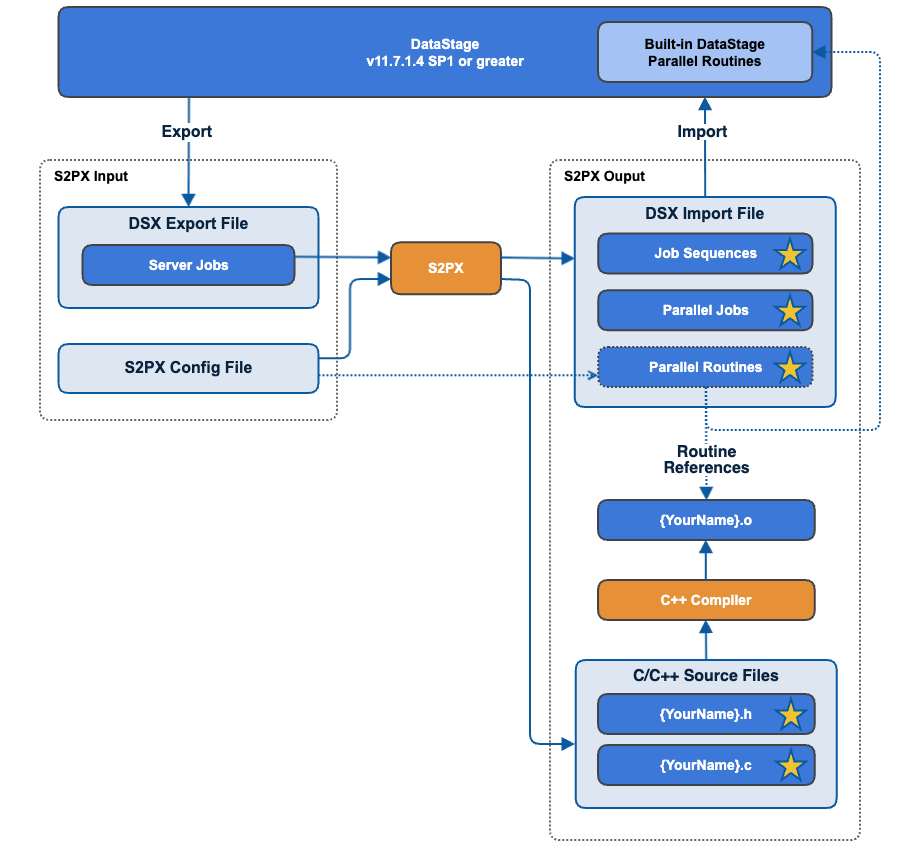
By way of example, the function defined in the example s2px.yml file above would be made accessible in DataStage using the S2PX-generated files described here.
The following s2px.yml configuration file section…
customRoutines:
  generateCHeaders: true
  mapping:
    AddOneToNumber: "{0} + 1"
    GetBalanceInUSD: "{0} * 0.75"
    MyCustomServerRoutine: ACustomRoutine({0}, {1}) : {2}

  libraries:
    -
      name: test                               # FUNCTION LIBRARY 'test'
      path: /path/to/lib/
      type: SHARED_LIBRARY

      routines:
        ACustomRoutine:                        # DATASTAGE FUNCTION 'a_custom_function(FLOAT, STRING, STRING)'
          type: STRING
          externalName: "a_custom_function"    # Wraps C function 'a_custom_function(float arg1, char * arg2, char * a)'
          arguments:
            -
              name: arg1
              type: FLOAT
            -
              name: arg2
              type: STRING
            -
              name: arg3
              type: STRING
    -
      name: test2                               # FUNCTION LIBRARY 'test2'
      path: /path/to/lib/again/
      type: SHARED_LIBRARY

      routines:
        ConvertSomething:                       # DATASTAGE FUNCTION 'convert_something(INT)'
          type: UINT
          externalName: "convert_something"     # Wraps C function 'convert_something(int a)''
          arguments:
            -
              name: a
              type: INT
Produces an output DSX file which included Parallel Routine definitions that look like this:
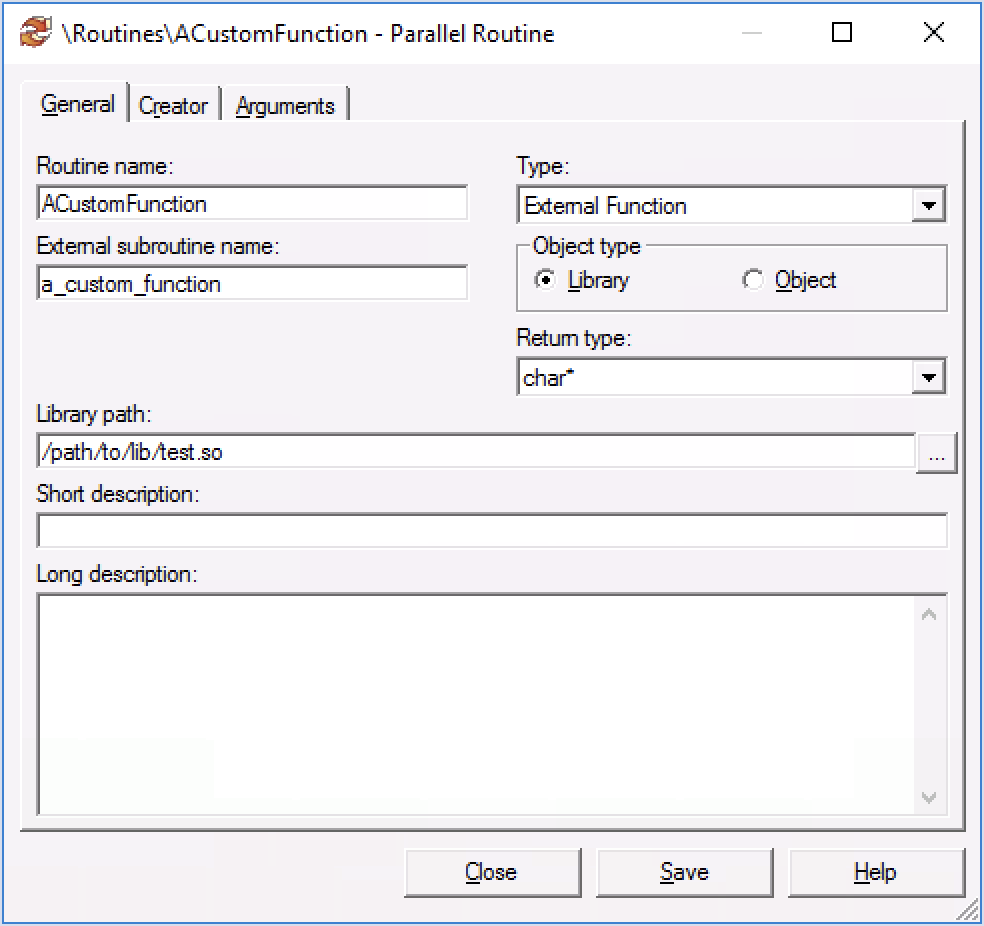
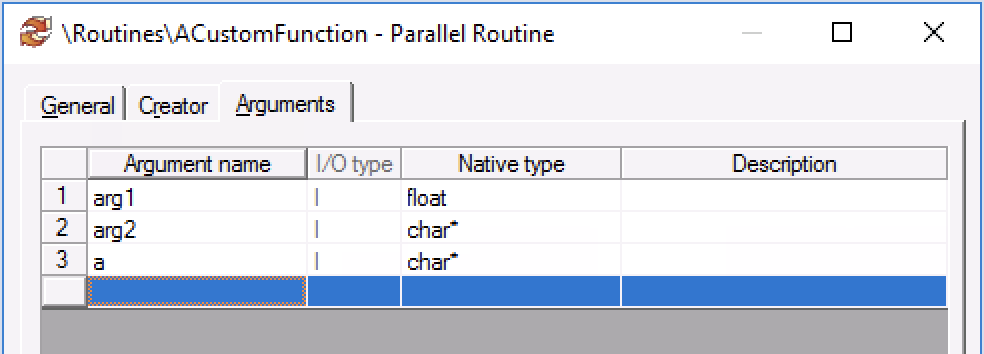
These Parallel Routine definitions are implemented by C/C++ external functions for which S2PX will generate code templates that contain the type signature of the required functions. The configuration file above, for example will cause the generation of these files…
|
File name |
File contents |
|---|---|
|
|
C++
|
|
|
C++
|
… and:
|
File name |
File Contents |
|---|---|
|
|
C++
|
|
|
C++
|
To implement a Parallel function you can code you logic in place of the failNotImplemented(__func__); call in each function.
Due to the dependency on the apt_util classes (logmsg, errlog and errind) the generated files need to be linked against the appropriate liborch<arch>.so file (where <arch> is the relevant host architecture. e.g. liborchx86_64.so) which is located in /opt/IBM/InformationServer/Server/PXEngine/lib .
Compiling Your Custom Parallel Routines
A detailed description of how you can compile your custom Parallel Routines, ready for use by DataStage, can be found here (IBM ID login required).