
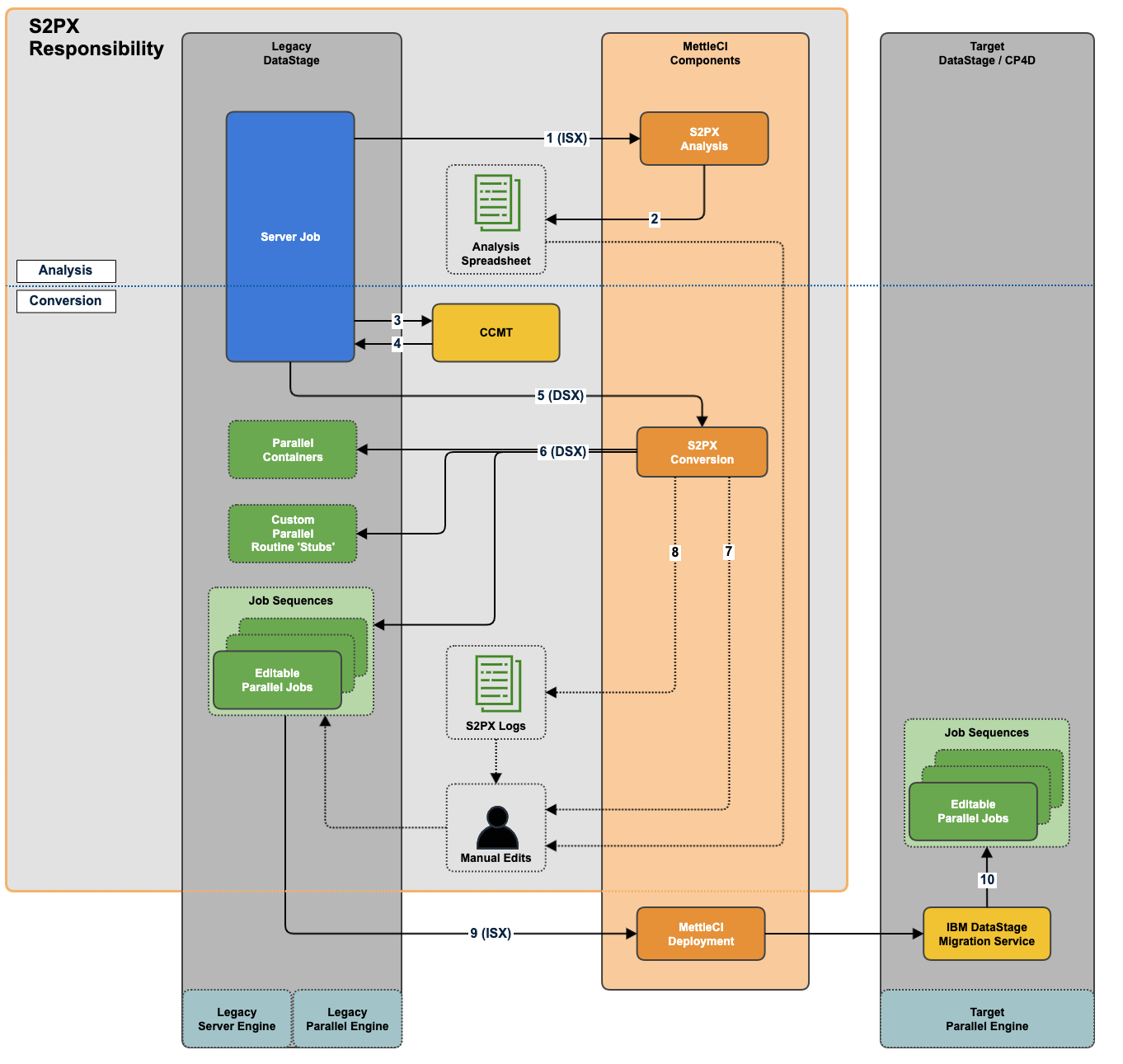
Here’s a summary of the Server-to-Parallel ('S2PX') high level workflow, boundary of responsibility, operating components, and outputs.
-
For analysis: Export legacy Server jobs as ISX files. See link.
-
Run the S2PX analysis command line tool which will produce a set of Microsoft Excel files you can analyse.
-
For conversion: Run the IBM CCMT command line tool which will upgrade your Server jobs to…
-
remove deprecated Stages, and
-
modify Connector Stages to use the latest version of those Connectors.
-
-
The CCMT tool upgrades your Jobs directly in the DataStage Repository. There is no need to export or Import DataStage files
-
Now export your legacy Server jobs as DSX files. See link.
-
Run the S2PX conversion command line tool which generates a DSX file including Parallel assets derived from the Server assets in the supplied input file.
-
The S2PX conversion process also generates a set of log files describing the assets encountered during the conversion process and what issue will require manual intervention to make your generated Parallel assets runnable.
-
A DataStage Developer will use the S2PX Analysis Spreadsheet and conversion logs to apply any required manual remediations to the generated Parallel jobs.
-
The Parallel jobs can then be deployed to a downstream environment, either manually or by using a MettleCI pipeline triggered by committing your assets to a Git repository.
-
Note that for IBM Cloud Pak for Data you can use its facilities to import legacy DataStage ISX files into its NextGen DataStage platform.
See also